What Is a Cat5 Extender and How Does It Work
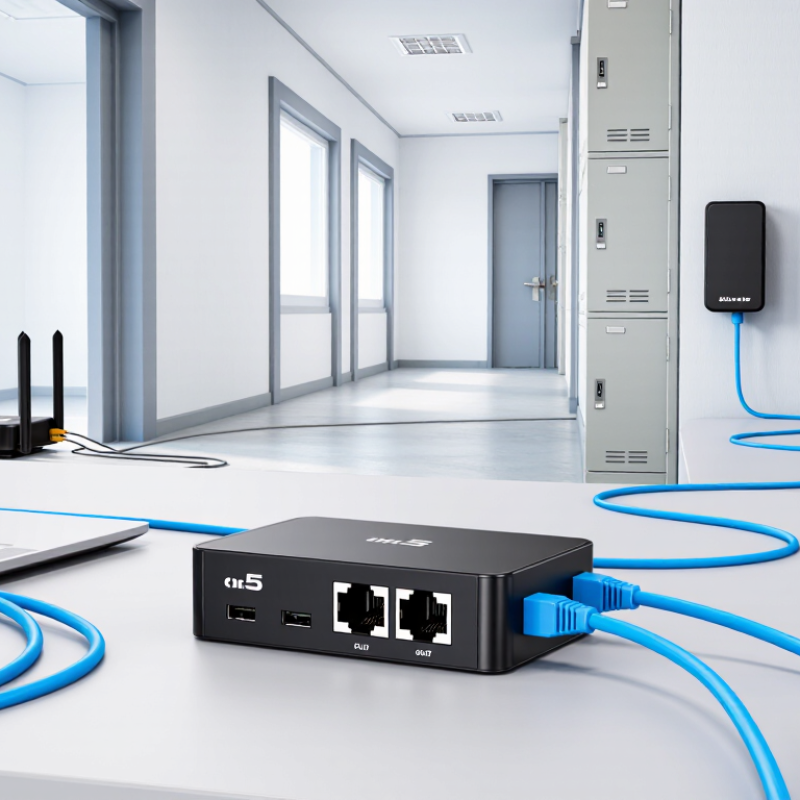
A Cat5 Extender helps carry network signals beyond the usual reach of an Ethernet cable. It can be useful when a router sits in one room and a camera, access point, or workstation is farther down the hall. Think of a long cable run crossing a utility closet: an extender can help connect the distant device without moving the network equipment. The exact result depends on the extender type, cable condition, distance, and power requirements.
Some models use two Cat5 or Cat5e cable segments to extend Ethernet connections. Others carry HDMI, USB, or control signals over twisted-pair cable. These products are not interchangeable. Check the supported signal, speed, distance, and required power before choosing one. Cable category matters, too. A damaged connector or poorly terminated cable can cause dropouts, reduced performance, or no connection at all.
A useful field rule is: “An extender can bridge distance, but it cannot fix a bad cable run.” This is original editorial wording, not a sourced expert quotation. I can’t responsibly attach a name to it without a verifiable source. That distinction matters. In the sections ahead, we’ll explain how Cat5 Extender devices transmit signals, which types suit common installations, and what to check before setup. We’ll also look at their limits, because an extender is not a magic upgrade. Sometimes the cable is the real problem.
Defining a Cat5 Extender and Its Role in Ethernet Networks
A Cat5 extender is a device or system that carries Ethernet traffic beyond the usual reach of a copper cable. The term is not perfectly precise: it may describe an active repeater, or a pair of units that transport and restore Ethernet signals across a cable run. Its role is to bridge a distance gap, not to create extra network capacity.
For standard 1000BASE-T, IEEE 802.3 specifies a channel length of up to 100 meters over Category 5e cabling; TIA-568 defines cabling performance requirements. That limit includes the permanent cable and patch cords.
In practice, an active extender receives a weakening signal and regenerates it, helping a device farther down a hallway stay connected. Some systems use existing twisted-pair cable between a transmitter and receiver. Check the cable category, link speed, and power needs before installation.
Small details matter.
An extender cannot repair damaged pairs or guarantee full speed on poor-quality cable. And “Cat5” is often used loosely: legacy Category 5 and Category 5e are not interchangeable in every gigabit installation. IEEE 802.3 and TIA-568 specifications are useful references when verifying distance and cabling claims.
How Extenders Relay or Convert Signals to Bridge Longer Distances
A Cat5 extender carries a signal over twisted-pair network cable when a standard connection cannot reach far enough. The term covers several devices, and the details matter. Some units receive an Ethernet signal, clean it up, and send it onward. Others convert a signal, such as HDMI or USB, into a format that can travel through Cat5 or Cat5e cable. A matching receiver then converts it back for the display or device.
In a relay setup, an extender acts like a bridge between cable runs. An active unit may regenerate a weakened signal, helping it travel farther than one uninterrupted cable could. Picture a small powered box mounted near a network cabinet, with one cable entering and another leaving. In a conversion setup, the transmitter changes the signal before it enters the cable; the receiver reverses that process at the far end. The cable carries the adapted signal, not necessarily ordinary Ethernet traffic.
The terminology is not always tidy. Check the extender’s supported signal type, cable category, and distance limit before installation. Cable quality, electrical interference, and the number of connections can affect performance. Even a neat-looking setup can fail if the receiver needs power and has none. Test the full cable run with the actual devices; specifications alone do not tell the whole story.
Main Extender Types: Repeaters, Switches, and Ethernet-over-Copper Units
What Is a Cat5 Extender and How Does It Work
Main Extender Types: Repeaters, Switches, and Ethernet-over-Copper Units
A Cat5 extender helps carry an Ethernet connection beyond the usual 100-meter channel limit. Repeaters receive a signal, regenerate it, and send it onward through another cable segment. They are useful for a long corridor or a detached room, but each added device needs power. A repeater does not increase internet speed. It only helps the signal travel farther. Small detail, big difference.
A network switch can also extend a connection when placed between cable runs. It regenerates Ethernet traffic and may provide extra ports for nearby devices. However, an ordinary switch is not automatically a long-distance solution; each copper link still has its own distance limit. Ethernet-over-copper units use a matched pair of devices to carry data over suitable existing copper wiring. Their range and speed depend on the wire type, condition, and electrical noise. I have seen old cabling look fine and still perform poorly. So check the actual link, not just the label.
Tips: Test the cable path before installation, confirm the extender supports your required speed, and keep powered units ventilated. If the link drops, inspect connectors and cable damage before replacing equipment.
TIA-568 Cabling Benchmark: 100 m per Channel, Usually 90 m Plus 10 m
A Cat5 extender carries Ethernet beyond a cable run’s normal reach, usually by regenerating the signal or creating another network segment. It does not make a long passive cable behave like a compliant short one. The key benchmark is the channel limit: ANSI/TIA-568.2-D specifies up to 100 m for balanced twisted-pair cabling, commonly arranged as a 90 m permanent link plus 10 m of patch cords. That 10 m is shared across the channel, not a bonus at each end.
In practice, the 90 m portion runs through walls or trays, while patch cords connect the outlet, patch panel, and equipment. IEEE 802.3 Ethernet specifications also use 100 m as the familiar copper link reach for many applications. Exceeding it can cause errors or dropped connections, even when a laptop still shows a link light. An active extender can add reach, but each cable segment must stay within its own limits. Installation quality matters: tight bends, poor terminations, and electrical noise can undermine the numbers. A tape measure cannot reveal every problem.
Tips: Measure the full path, including patch cords. For a long warehouse run, place an extender where power and access are available, then test each segment under load. Check the exact cable category and Ethernet speed; “Cat5” alone is not a guarantee of modern performance. One detail is easy to miss: the standard gives a design limit, not a promise that every installed channel will perform perfectly.
What Is a Cat5 Extender and How Does It Work?
TIA-568 Cabling Benchmark: 100 m per Channel, Usually 90 m Plus 10 m
A typical structured-cabling channel is limited to 100 m: usually up to 90 m of permanent cabling plus a combined allowance of up to 10 m for patch cords. A Cat5 extender can provide a way to extend a network connection beyond a standard cable run, but the supported distance depends on the extender and installation; it does not change the TIA-568 channel benchmark.
Choosing a Setup: Check Cable Category, Data Rate, Power, and Distance
What Is a Cat5 Extender and How Does It Work
A Cat5 extender carries Ethernet data beyond a standard cable run, often by regenerating the signal or using another medium. The right setup depends on cable category, speed, power, and distance—not just the extender’s advertised range. IEEE 802.3ab supports Gigabit Ethernet over suitable Cat5e cabling for up to 100 meters. Older Cat5 cable may not deliver the same dependable performance. Check the markings on the jacket.
Distance can change the rate you can actually use. ANSI/TIA-568.2-D cabling guidance and IEEE Ethernet specifications distinguish cable performance by category. Cat6A supports 10 Gigabit Ethernet over up to 100 meters; Cat6 may support it only over shorter runs, depending on installation conditions. Extenders also have model-specific speed and reach limits. A long cable, tight bend, or nearby electrical noise can weaken results. Small details matter.
Tips: Measure the full route, including patch cables. Confirm the extender’s supported data rate and whether it needs local power or passes PoE. IEEE 802.3bt allows up to 90 watts from the power source, but connected equipment receives less. Leave power headroom. I have seen distance estimates miss a few meters of patch leads; that is easy to overlook. Test the finished link under load, not only with link lights.