

7 Tips for Choosing a Cloud Video Door Phone

A Cloud Video Door Phone can help you see who is at the entrance and answer from another room or away from home. But a smooth demo does not guarantee reliable daily use. The right choice depends on your doorway, Wi-Fi signal, phone, and household routines. Start with the basics. Check whether the unit works with your existing wiring and door lock. A large screen is less useful if the image freezes when someone rings. Look for clear video, usable night vision, and two-way audio that remains understandable beside street noise. Small details count.

Cloud access also deserves careful attention. Ask how recordings are stored, how long they remain available, and whether a subscription is required. Review account controls and update options rather than relying on broad security claims. Consider what happens during a power cut or internet outage; some systems may lose features. Measure the mounting space, too. A narrow frame or exposed porch can affect installation and camera views. This guide covers seven practical checks, from connectivity and image quality to privacy, compatibility, and ongoing costs. Not every extra feature is worth paying for. A glossy feature list can still mislead, and even a well-reviewed device may not suit every home. Compare the details with your actual entrance before deciding.
7 Tips for Choosing a Cloud Video Door Phone

How a Cloud Video Door Phone Works

7 Tips for Choosing a Cloud Video Door Phone
How a Cloud Video Door Phone Works

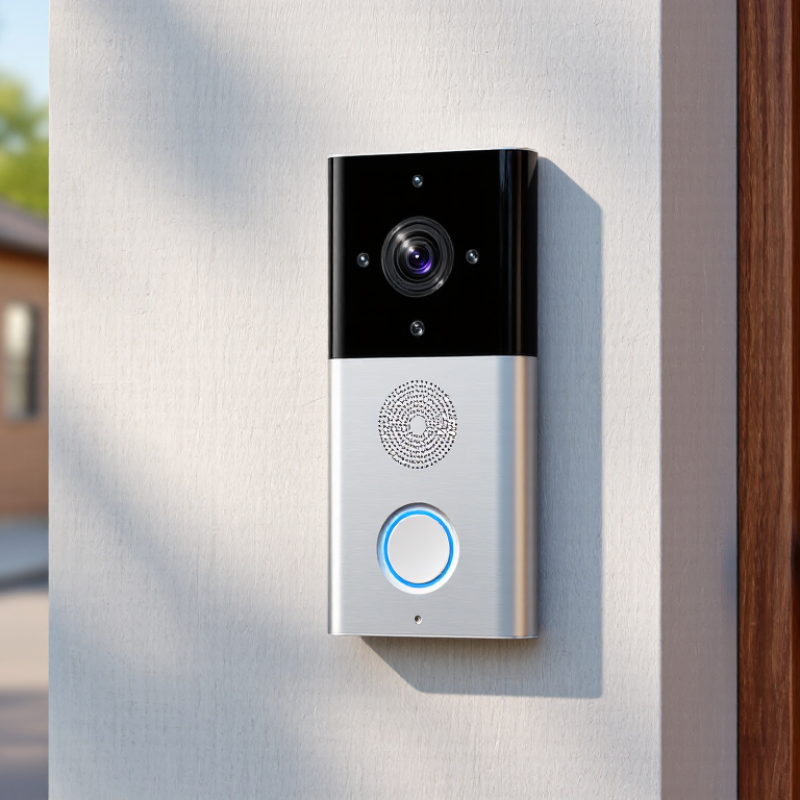
A cloud video door phone connects an outdoor camera and call button to your home network. When a visitor presses the button, the device captures video and audio, then sends a notification through the internet. An authorized phone or indoor screen can show the visitor and let you speak back. The loop is simple. A cloud service helps relay the connection, especially when you are away from home. Depending on the system, recordings may also be stored online for later viewing.

Tips: Check Wi-Fi strength at the entrance; review recording and retention settings; confirm which phones can receive alerts; test two-way audio; look for clear night video; check backup power options; and read the privacy controls. A strong camera cannot fix a weak connection.

In practice, walls, metal doors, and busy networks can delay alerts or make speech choppy. Try a real test from the places where you usually answer calls, not just beside the router. Also ask how the device handles an internet outage: some features may stop working, while local calling may remain available. Specifications help, but they do not tell the whole story. A little setup work is often needed.

Identify Your Property’s Entry and Monitoring Needs

7 Tips for Choosing a Cloud Video Door Phone
Identify Your Property’s Entry and Monitoring Needs

Before comparing cloud features, map how people reach your property. Note the main door, side gate, garage entrance, and any shared hallway. A delivery driver may approach from a different angle than a family member. Stand outside each entry and check what the camera would actually see. A tall hedge or bright window can spoil a clear view. Start with the entrance.

Think about who needs to answer and when. A busy household may need alerts sent to several phones, while a small office may need one person to manage visitor calls. Consider whether you need live viewing, recorded clips, or both. Check that your Wi-Fi signal reaches the entrance, especially through thick walls or across a yard. Test it at night. Lighting, glare, and passing headlights can change the picture more than expected.

Set realistic monitoring expectations before choosing a plan. Cloud storage can help you review missed visits, but confirm how long clips remain available and how access is controlled. Choose alert settings that fit your routine; too many notifications can make important ones easy to ignore. Privacy matters, too. Aim the camera at your entry rather than a neighbor’s windows or a public-facing area. A perfect setup is rare, and one awkward corner may still need a separate solution.

7 Tips for Choosing a Cloud Video Door Phone - Identify Your Property’s Entry and Monitoring Needs
Tip Property Need What to Check Practical Selection Guidance
1 Entry layout and visitor flow Number of entrances, gates, doors, and regular visitors List each entrance that needs coverage. A single front door may need one call point, while a multi-entry property may need a system that can manage separate stations or cameras.
2 Camera view and lighting Field of view, camera angle, low-light performance, and glare Check that the camera can show a visitor’s face at the actual installation height and distance. Consider backlighting, porch lighting, and nighttime visibility before choosing a location.
3 Power and installation conditions Available wiring, outlet access, weather exposure, and mounting surface Confirm whether the unit uses existing low-voltage wiring, mains power, or a battery. For an outdoor station, verify its stated environmental rating and follow local electrical requirements.
4 Network reliability at the entrance Wi-Fi signal strength or availability of a wired network connection Test the connection where the door phone will be installed, not just near the router. A weak or unstable connection can affect live video, notifications, and remote conversations.
5 Live monitoring and visitor response Two-way audio, call notifications, app access, and indoor monitor options Choose a setup that lets the intended residents answer calls reliably. Check whether calls can be answered from a mobile device, an indoor screen, or both, and whether multiple household members can receive alerts.
6 Recording, storage, and privacy Live view versus recorded clips, storage location, retention controls, and access permissions Confirm whether recording is supported and whether footage is stored locally, in the cloud, or both. Review any subscription requirements, retention settings, account security options, and local privacy rules.
7 Access control and future use Door release compatibility, user management, and system integrations If remote unlocking is required, verify compatibility with the existing lock or gate and check how access is authorized. Consider whether user permissions and supported integrations fit the property’s current and future needs.

Check Network, Cloud Storage, and App Compatibility

A cloud video door phone is only useful when its connection reaches the front door. Check upload speed there, not beside the router. Walls, metal doors, and busy evening networks can interrupt video or delay alerts. The Federal Communications Commission’s 2024 broadband benchmark is 100 Mbps download and 20 Mbps upload for fixed service. That is a household benchmark, not a device requirement. Still, it offers context when comparing your service plan. Test during peak hours, and watch a live feed while another person uses the network. A speed test is only a snapshot.

Cloud storage needs equal scrutiny. Check how long clips remain available, whether recording is continuous or event-triggered, and what happens when a plan expires. A short retention period may be frustrating after a package goes missing. Check upload limits, too. High-resolution clips can consume more data than expected. Read the privacy settings carefully, including who can view shared footage and how clips are deleted. Small details matter.

Finally, confirm the phone’s operating-system requirements before buying. Check that the app supports your phone’s current software and receives updates. Enable notifications, then test them with the screen locked and the app closed. Ask whether multiple household members can use separate accounts. Shared logins seem convenient, but they can make access harder to manage. Compatibility pages are not always clear, so verify details with the manufacturer’s support team before installation.

Compare Video Quality, Privacy, and Access Controls

A sharp daytime image is useful, but test more than resolution. Check whether a visitor’s face stays clear near the edge of the frame, and whether package labels blur when someone walks past. Night footage matters too. Look for usable detail under porch lights, not just a bright picture. Cloud video quality can also depend on upload speed and Wi-Fi strength; a good camera may still produce delayed or choppy clips.

Privacy settings deserve a close read. Check whether recordings are encrypted during transfer and storage, how long clips remain available, and whether you can delete them yourself. Motion zones can reduce recordings of a busy sidewalk or a neighbor’s doorway. That takes a little setup. It is easy to overlook.

Access controls should let you give each household member an individual account, rather than sharing one password. Look for options to remove access promptly, review sign-in history, and limit who can download or share clips. Temporary guest access can be handy, but make sure it expires. A feature list may look reassuring; test the actual settings before relying on them. I would compare these controls alongside image quality, since the clearest recording is not automatically the most private or useful.

Review Installation, Costs, and Ongoing Support

7 Tips for Choosing a Cloud Video Door Phone
Review Installation, Costs, and Ongoing Support

Start at the doorway, not the product page. Check whether existing wiring can power the unit, whether the Wi-Fi signal reaches the entrance, and whether visitors can hear the indoor chime. A thick exterior wall or distant router can weaken video and calls. Ask for an itemized installation quote covering wiring, setup, and any required network equipment. Small extras add up.

Compare the full cost over three years. Include the device, installation, cloud recording, extra user accounts, and service-call fees. Ask what happens when a subscription ends: can you still answer calls or view live video? The 2024 IBM Cost of a Data Breach Report estimated the global average breach cost at $4.88 million. That is not a forecast for a household, but it shows why account security and dependable updates deserve attention.

Ongoing support matters after installation day. Get clear answers about response times, firmware updates, data export, and service during internet or cloud outages. The 2024 Verizon Data Breach Investigations Report found that the human element was involved in 68% of breaches. Use unique passwords and confirm that support can help manage user access. Test a late-night call before relying on the system. One detail is easy to miss: support hours may not match the hours you need help.

Shopping Cart
Scroll to Top

Search for...

The Duravant family of operating companies serve the food processing, packaging and material handling segments.